Stage plot maker
Send the sound crew a stage plan they can read at a glance.
Arrange your band, map the inputs and describe the monitor mixes. Save the setup for your artist and print a clean stage plot with its matching input list.
Included with Unlimited. Sign in to create and save a plot.
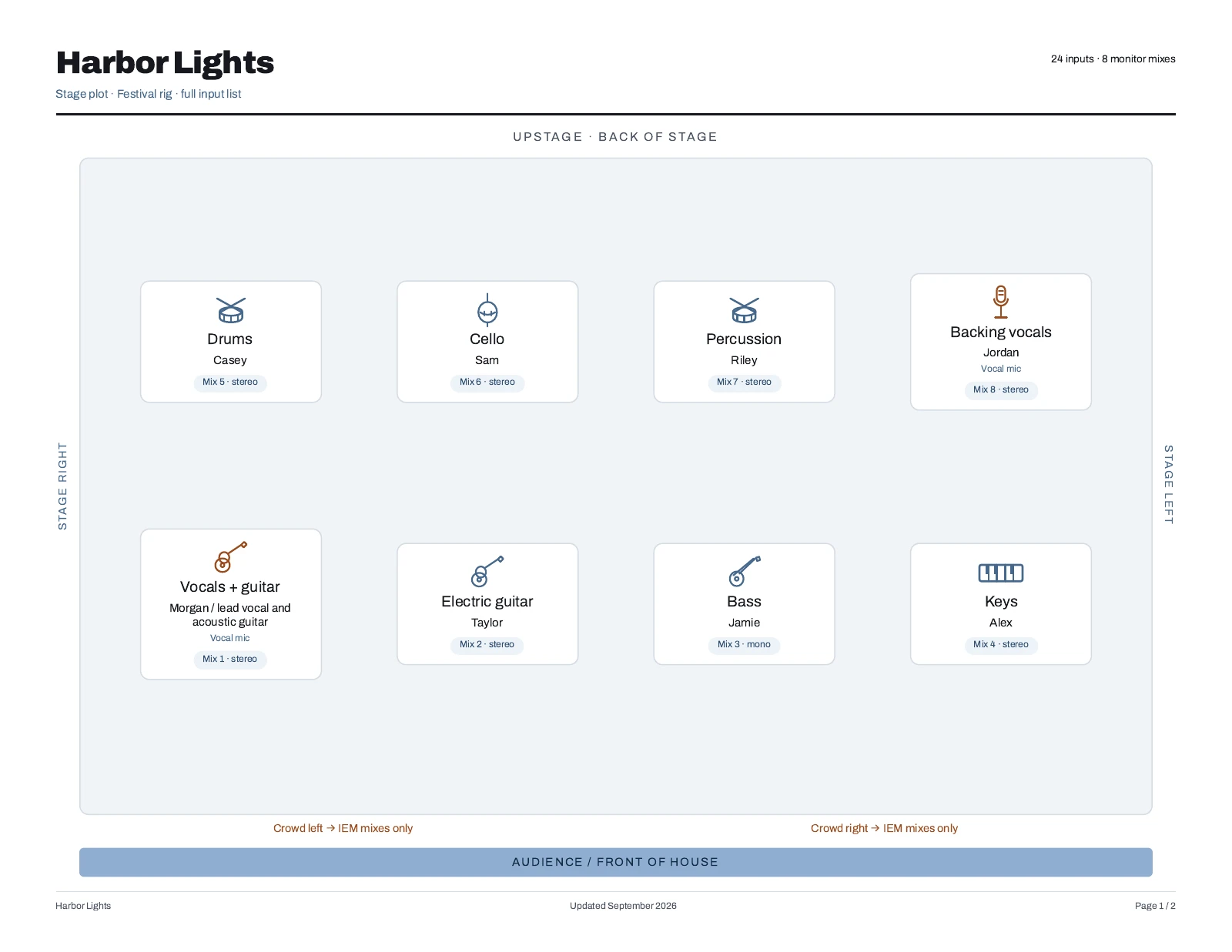
From rehearsal setup to venue-ready document.
Place the players
Add your band members and instruments, then position them on the stage grid. Stage left, stage right and the audience edge stay labelled so the crew can orient the document.
Write the input list
List each channel’s source, microphone or DI, phantom-power requirement and notes. Match the channel names to your actual setup before sending the plot to a venue.
Describe the monitor mixes
Assign a mix to each player and state whether it is mono or stereo. Include your IEM or wedge notes and any stage instructions the engineer needs to see.
Save a setup for the next show
Keep named plots with your artist. Copy a saved plot for a different lineup or venue, adjust it, and print the version you intend to use.
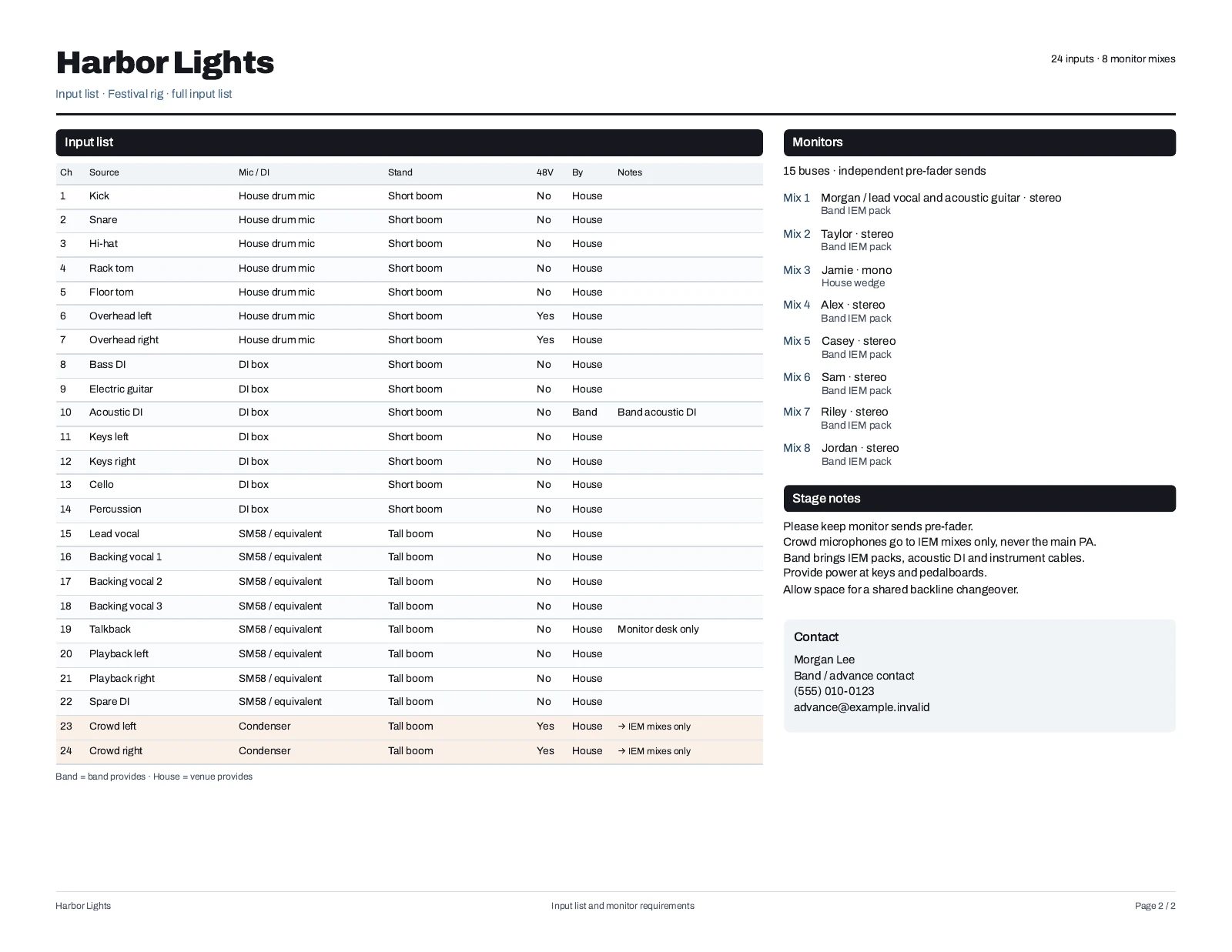
What should a stage plot include?
Show where people stand, what they play and what the engineer needs to connect. Pair the diagram with an input list, monitor assignments and clear contact or setup notes.
A stage plot describes your requirements. Confirm microphones, DIs, stands, monitor availability and changeover arrangements with the venue before show day.
Stage plot questions.
Is the stage plot maker included with Unlimited?
Yes. Creating, editing, copying and deleting plots requires Unlimited. Saved plots remain readable and printable if your subscription ends.
Can I download a stage plot PDF?
Use Print in the editor and choose Save as PDF in your browser. The layout is designed for two Letter landscape pages: the stage diagram followed by input and monitor details.
How large a band can I lay out?
A plot supports up to eight players, 24 input channels and eight monitor mixes. Mono and stereo mix choices are separate from the player positions.
Can I keep different versions for different shows?
Yes. Name and save each setup under your current artist, or copy an existing plot and edit the copy. Review the names and notes before sharing the printed document.
Have the setup ready before soundcheck.
Give the engineer a readable picture of the band, with the channel and monitor details alongside it.